Contents
Overview
The Streets Heaver Roadmap is a way to see upcoming products and features from Streets Heaver. It is publicly available and can be accessed at https://roadmap.streets-heaver.com.
This roadmap is subject to change, and planned developments are not guaranteed to be included in a build/release until the development is complete.
Boards
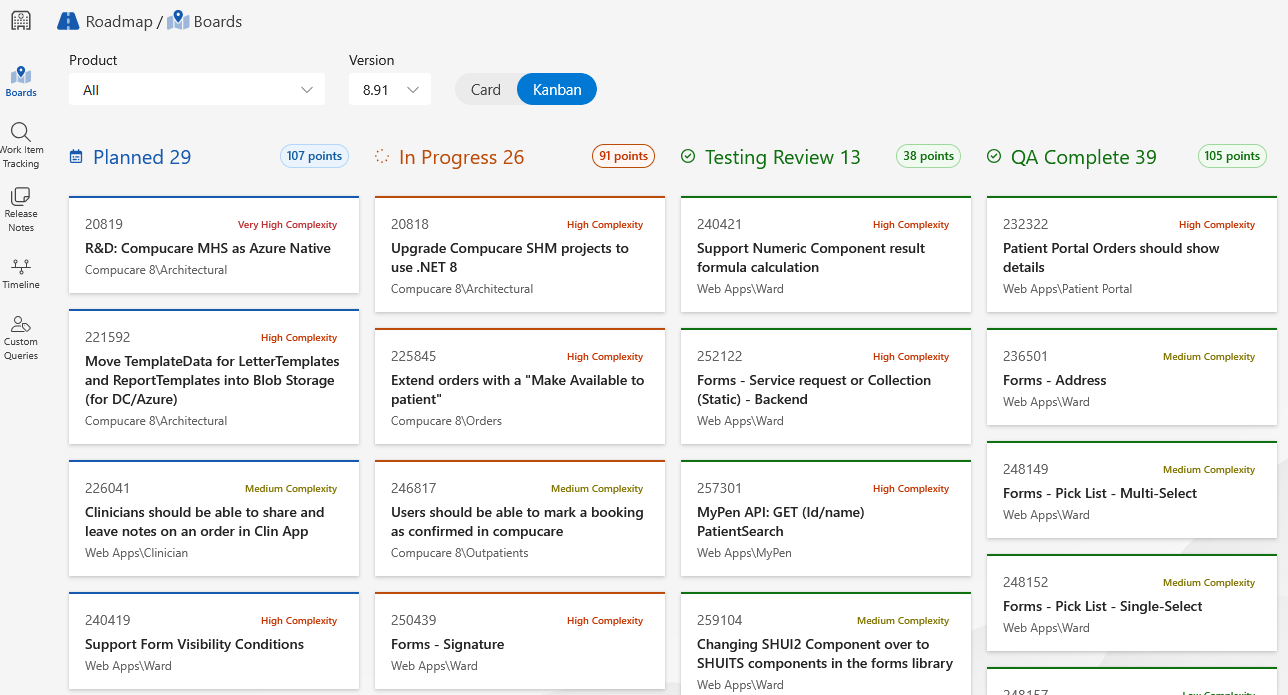
The Boards section of the roadmap displays planned developments as cards. These are ordered by log number and display the work item's title, area path, status and complexity.
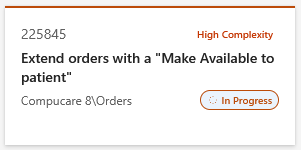
You can filter these cards by product/area path and by version. The Kanban option groups the cards by status.
Timeline
The Timeline section of the roadmap displays the schedule of planned developments. Along the top of the screen, horizontal labels split the timeline into annual quarters, and vertical labels on the left side of the screen represent each product that is currently being worked on.
A dotted yellow line shows the current point in time. In the image below, the yellow line shows that we are currently in Quarter 2 of 2025 (April-June).
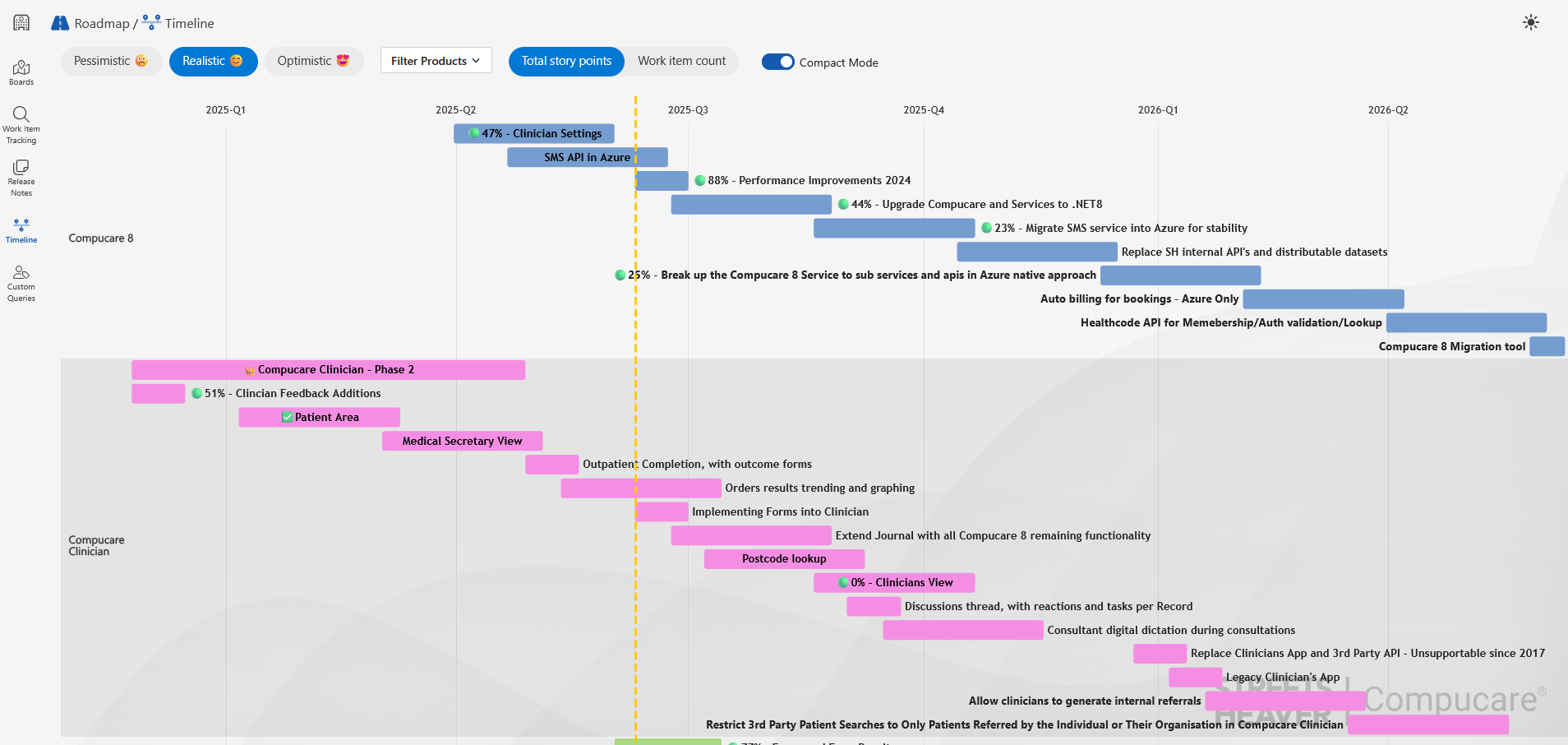
Within each row, work items for the product are represented by bars spanning across quarters. You can use this to determine when a feature is likely to be completed.
If a feature is set to Active, it will have a green circle and a percentage. By default, this is the percentage of the feature's total story points that have been completed. However, you can change it to show the percentage of the feature's total number of child work items that have been completed.
If a feature is set to Resolved or Closed, it will have a green tick.
If a feature is overdue, it will have a red circle.
You can determine the projected completion of a product by looking at the right-most item within the product's row and seeing which quarter it falls into.
The image above shows that the estimated completion date for Compucare Clinician is within Q2 of 2026.
You can alter how the time estimates are calculated by selecting from the following options in the top-left of the screen:
- Realistic - This is the default option and displays estimated completion times without alteration.
- Optimistic - This reduces estimated completion times by 25%.
- Pessimistic - This increases estimated completion times by 25%.
Work Item Tracking
The Work Item Tracking page enables you to look up details of a specific work item, provided you know the log number.
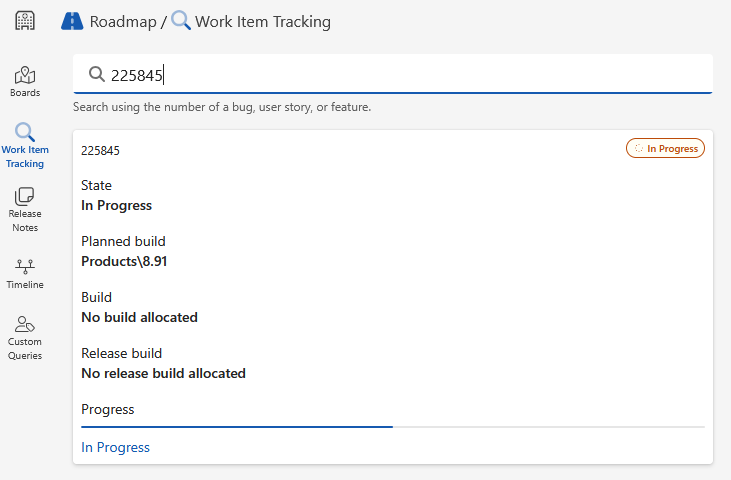
This will display the following information:
- State - The status of the work item, e.g. Planned, In Progress or Complete.
- Planned build - The version it's planned to be completed in.
- Build - Only applicable to completed work items. This is the version it was completed in. If an item has a Build but no Release build, the item has been completed but is not yet available.
- Release build - Only applicable to completed work items. This is the version it is available in.
Custom Queries
If you have been given a GUID, you can enter it into this screen to view the query associated with that GUID. For example, the query may show all work items you have logged.
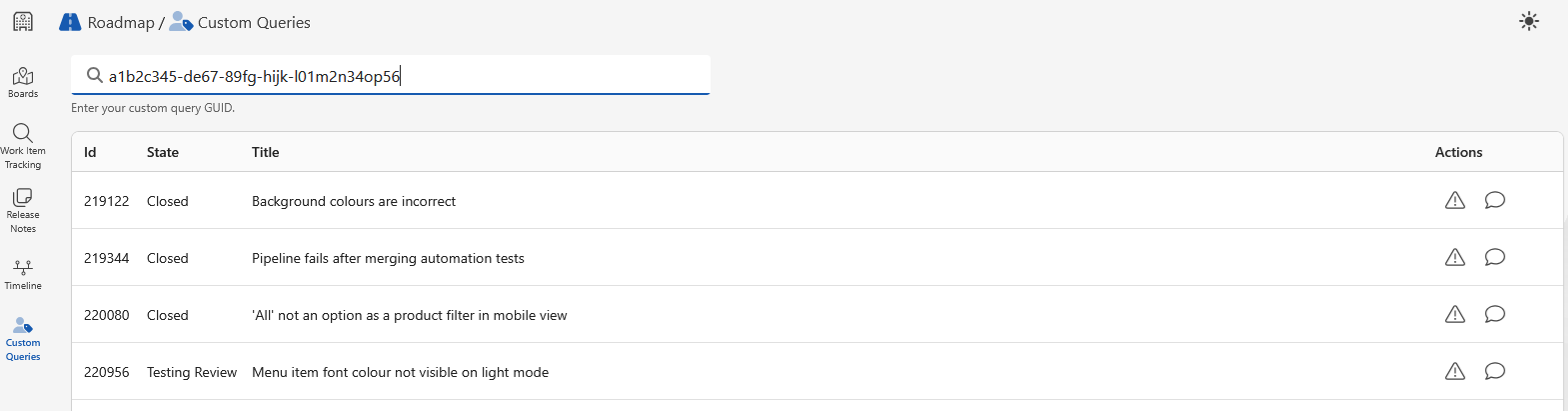
From this screen, you can add a comment to a work item or prompt a review of a work item.
Release Notes
See Compucare 8 Release Notes Portal for more information about the Release Notes Portal.
Was this article helpful?
That’s Great!
Thank you for your feedback
Sorry! We couldn't be helpful
Thank you for your feedback
Feedback sent
We appreciate your effort and will try to fix the article